
Skworm for Android
Free. No account. Straight from skworm.us.
Then follow the 4 quick steps below. Your phone will warn you because Skworm isn't from the Play Store. That's normal.
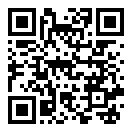
Point your Android phone's camera at this code to open this page there, then tap Download.
Or type skworm.us/app into your phone's browser. Already on an Android phone? Download Skworm v1.0 (142 KB).
The iPhone app is coming later. For now, Skworm works great in Safari: tap the Share button, then Add to Home Screen, and Skworm gets its own icon.
What you get
- 🔊 Read-aloud that keeps going with your screen off or while you use other apps. Play and pause from your lock screen.
- ☀️ Morning headlines. The Daily Worm's top 3 stories at the time you pick. Turn it on from 🔔 Morning headlines on news.skworm.us.
- 🔍 All of Skworm in one tap: search, The Daily Worm, the Library, Music, Theater, Tube and Wiki.
- 🎤 Voice search. Skworm only hears you after you tap the microphone.
- 🔄 Updates: when there's a new version, Skworm tells you and it installs over the old one. Nothing is lost.
How to install (about a minute)
- Tap Download Skworm. If Chrome says "File might be harmful", tap Download anyway. (Chrome says that about every app that isn't from the Play Store.)
- When it finishes, tap Open. (Or find Skworm.apk in your notifications or your Downloads.)
- If your phone says it can't install apps from this source, tap Settings, turn on Allow from this source, then tap the back arrow.
- Tap Install. If Google Play Protect says it doesn't know this app, tap More details, then Install anyway. Done! Skworm is on your home screen.
Questions
Why isn't Skworm in the Google Play Store?
We'd rather hand it to you directly. The app comes straight from skworm.us, the same place as the website, and updates come from here too.
Is it safe?
Yes. It's the Skworm website in an app, plus read-aloud, morning headlines and update notes. It asks for only two things, and only when you use them: the microphone for voice search, and notifications for morning headlines and the "Listening" note. It doesn't ask for your location, contacts, photos or files.
Which phones does it work on?
Android 8.0 or newer, which is nearly every Android phone in use. iPhones can't install apps from websites, so the iPhone app will come later through Apple.
How do I remove it?
Press and hold the Skworm icon, then tap Uninstall. It leaves nothing behind.
For the careful: check the file
Version 1.0 from November 10, 2026.
File SHA-256: 2196ceb02f01e8ef7a64ef05a49bebece21852e3af8cfd3202df35a65cde176f
Signing certificate SHA-256: e229b6ca9cb9a8808bd3c6087cf043fc8dea6362c9100c07702df7068a95495b